Case studies / Jazz Business website

Giving the Jazz Business website a structure people can follow

I rebuilt the structure of jazz.com.pk/business from a hand-drawn sketch to a full, clickable 69-page redesign. The brand stayed the same, but every product got a clear home and every page got clear content.

Jazz Business · Handed to web agencyInformation architectureSitemapUX and page designWebsite copy
Jazz Business website

The brief

The site had grown one product at a time. Nine product families and 48 product tiles made it hard for a business buyer to find the right thing, and some pages repeated each other.

The idea

Keep the brand, change the map. I sorted every product into six families under one simple top menu, then built the whole site so everyone could click through it before the agency wrote a line of code.

69Pages in the clickable redesign
48Live product tiles mapped into the new structure
9 to 6Product families under Solutions
66Pages in the 2026 sitemap, each marked keep, update or new
223Pages in the Word version handed to the team for review
The journey

What I did, stage by stage

  1. 1

    Strategy

    • I drew the new structure by hand on 9 September and turned it into a site blueprint.
    • I placed every one of the 48 product tiles from the live site into its new home and listed the decisions still needed.
    • I cut Solutions from nine families to six and added a new Industries section that starts with SME.
    • I built the 2026 sitemap: 66 pages, each marked keep, update or new, with a recommendation to keep today's web addresses so no links break.
  2. 2

    Website

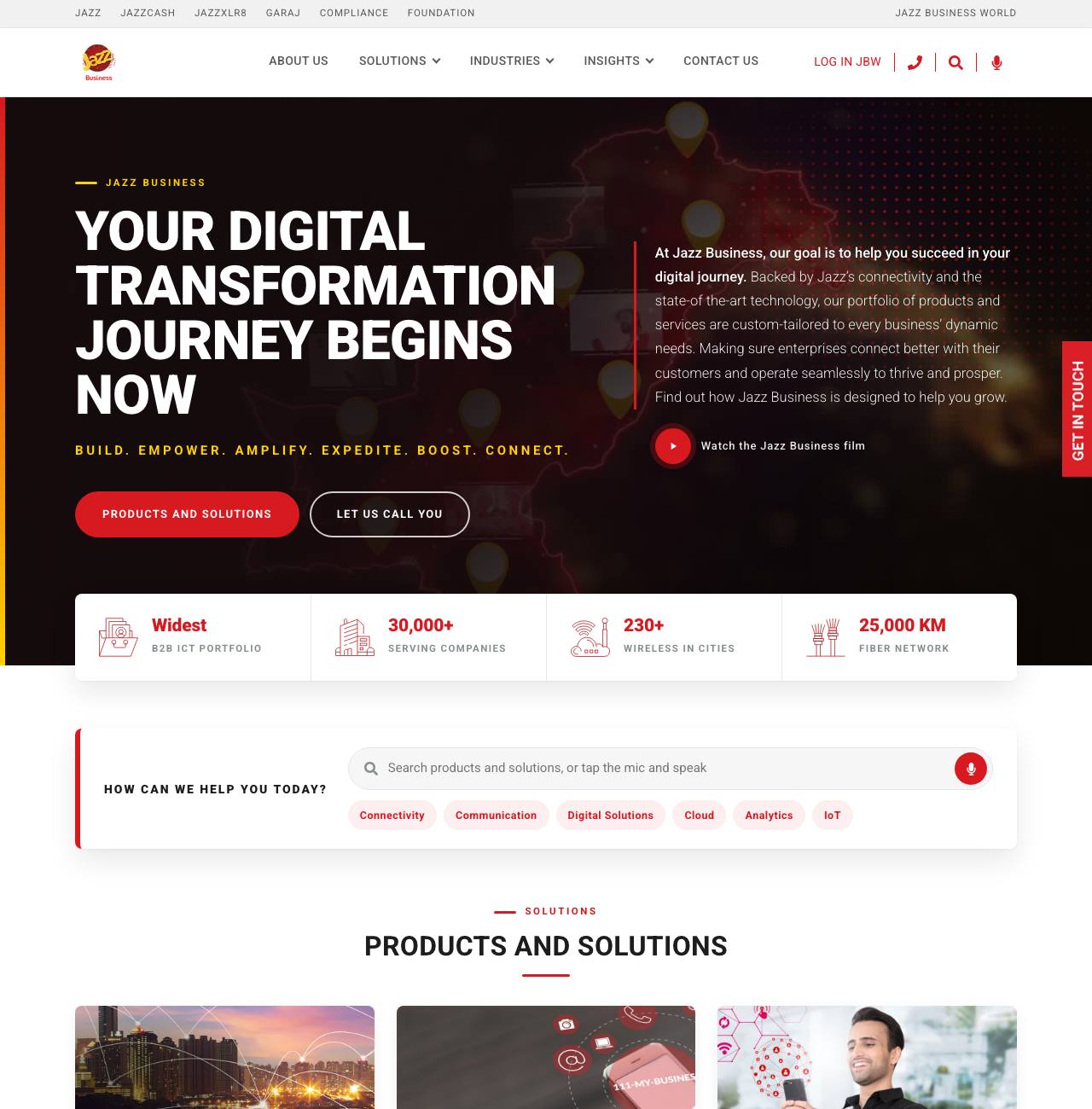
    • I built a clickable version of the full new site: 69 pages using the live logo, colours, fonts, photos and copy.
    • I drafted new pages the live site did not have, including an SME page and an Agentic AI page, and rewrote About Us so it no longer repeats the homepage.
    • I wrote the 2026 content document with a new Jazz Founders Club page, sixteen News Room stories and new product models, plus a 2026 image bank.
  3. 3

    Design

    • I added a stats strip under the home banner, a search card, grouped product cards on each family page, numbered steps and a Get in Touch block on every page.
    • In a polish pass on 10 September I calmed the banners to one button, cleaned the type and added in-page navigation to product pages.
  4. 4

    PR and comms

    • I handed the content document, image bank and sitemap to our web agency on 23 and 28 September, with a page-by-page PDF and a 223-page Word version so the team could review and edit.
The work

The real designs

Click any image to see it full size.

Launching something soon?

I can plan it, design it and check every claim before it goes out. Let's talk.